Present.Inspire.Sell.
Present all your locations on an interactive map. Visitors filter by capacity, floor space and facilities and book directly.
From overview to booking
A clear overview of your rooms
With more complex room offerings, prospects quickly lose track. The RoomSelector shows all suitable rooms straight away.
Presentation that makes an impact
Each room is presented individually, with all the key information and impressions available instantly. Our widgets can be chosen freely and set out everything worth knowing clearly.
Optimised booking path
The optimised customer journey guides prospects straight to an enquiry: informed, inspired and optimally qualified.
Direct connection
Enquiries are passed straight into your management tools. This way the RoomSelector fits optimally into existing structures.
 Outlook
 Google Calendar
All rooms on one screen
- Interactive map or 3D model with photo pins
- Configurable search field, filters and sorting
- Custom filters for your use case
- Fully embeddable in your website

Everything in view
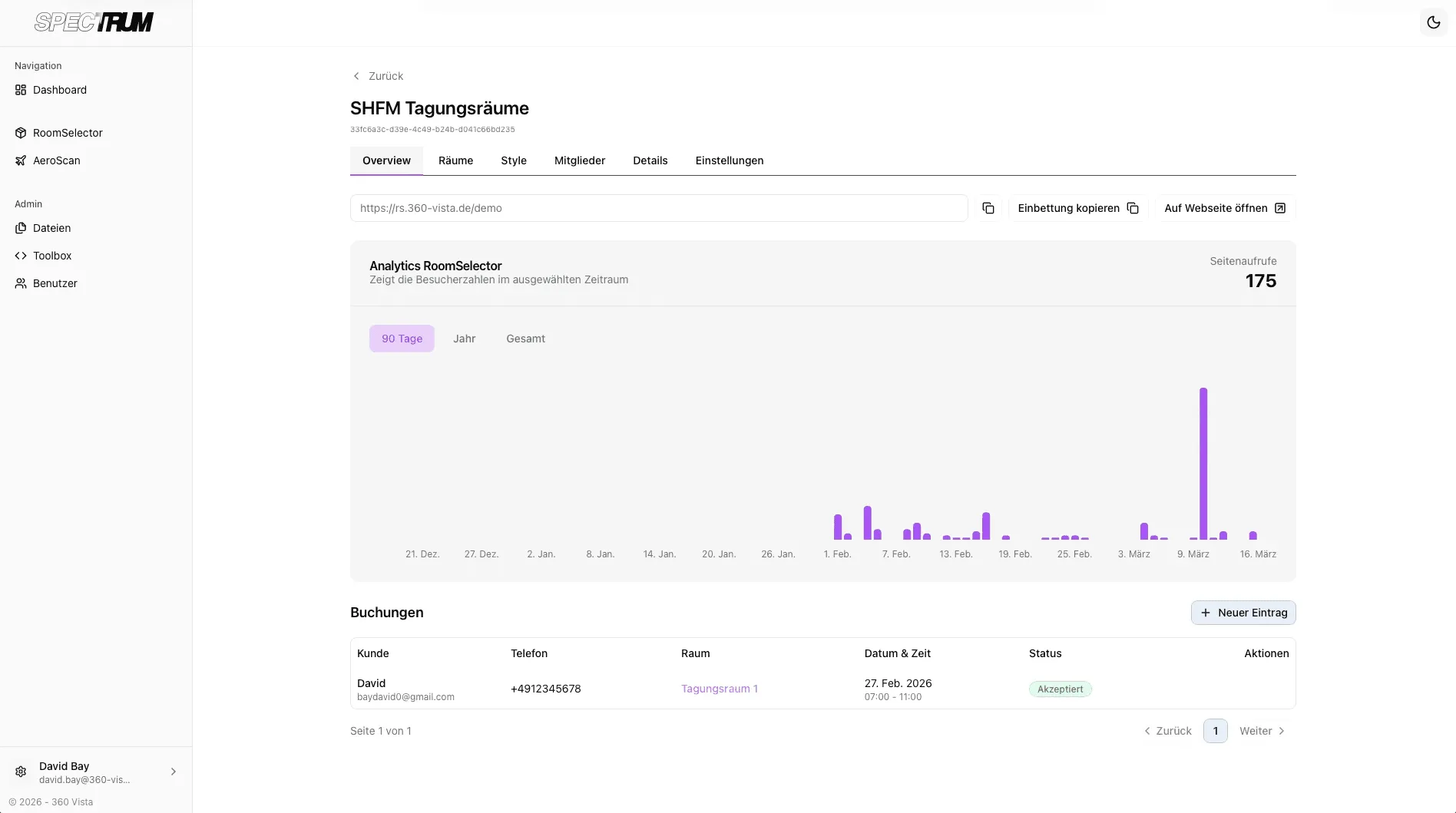
See in real time how your RoomSelector is being used. Booking history, conversions and visitor trends at a glance.
SHFM Tagungsräume
Analytics RoomSelector · Shows visitor numbers for the selected period
Page views1,736
Requests
+ New entry| Client | Phone | Room | Date and time | Status | Actions |
|---|---|---|---|---|---|
| Sarah Müller | +4912345678 | Meeting 1 | 27 Feb 2026, 07:00 to 11:00 | Accepted | ⋮ |
| Kai Zimmermann | +4912345678 | Seminar A | 15 Mar 2026, 09:00 to 17:00 | Pending | ⋮ |
| Bob Schmidt | +4912345678 | Conference C | 2 Apr 2026, 14:00 to 18:00 | Accepted | ⋮ |
- Outlook
- Google Calendar
Seamless calendar sync
Accepted bookings land automatically in your Outlook or Google Calendar. No manual upkeep, no double bookings.
Your design, your brand
Colours, typography, layout, filters, all fully configurable. The RoomSelector adapts to your corporate identity and blends seamlessly into your website. So it feels like your own tool, not a break in style.
- SearchShow search in the RoomSelector.
- Enable sortingShow sorting options in the RoomSelector.
- Chair filterFilter by number of chairs.
- Square metre filterFilter by room size.
- Accent, button and background colours freely selectable
- Adjust the sidebar order with up & down
- Filter options can be enabled individually
- Real-time overlay preview
Any questions?
Perhaps we can answer your open questions right here.
What is the maximum number of rooms I can display?
The number of rooms that can be displayed depends on your concept and the layout you want. In principle, the RoomSelector can be set up flexibly for a few selected rooms or for larger room offerings. What matters is that the display stays clear, well organised and intuitive for your users.
How does the booking integration work?
The RoomSelector can be embedded so that users are taken straight to your booking process after choosing a room. Depending on the system, a custom connection to existing booking or enquiry processes is also possible. This creates a seamless transition from the presentation to a concrete enquiry or booking.
What happens when a room is remodelled?
If a room changes, the content shown can be updated accordingly. That keeps the presentation up to date and your users continue to get a realistic and reliable picture. The scope and effort of the update depend on the kind of change.
Where is the RoomSelector embedded?
The RoomSelector is usually integrated directly into your website and made accessible to visitors there. Depending on the use case, it can also be embedded in landing pages, presentation pages or other digital environments.
Turn your offer
into an experience!
Free potential analysis: we get to know your concept and show you exactly how we would digitise it.